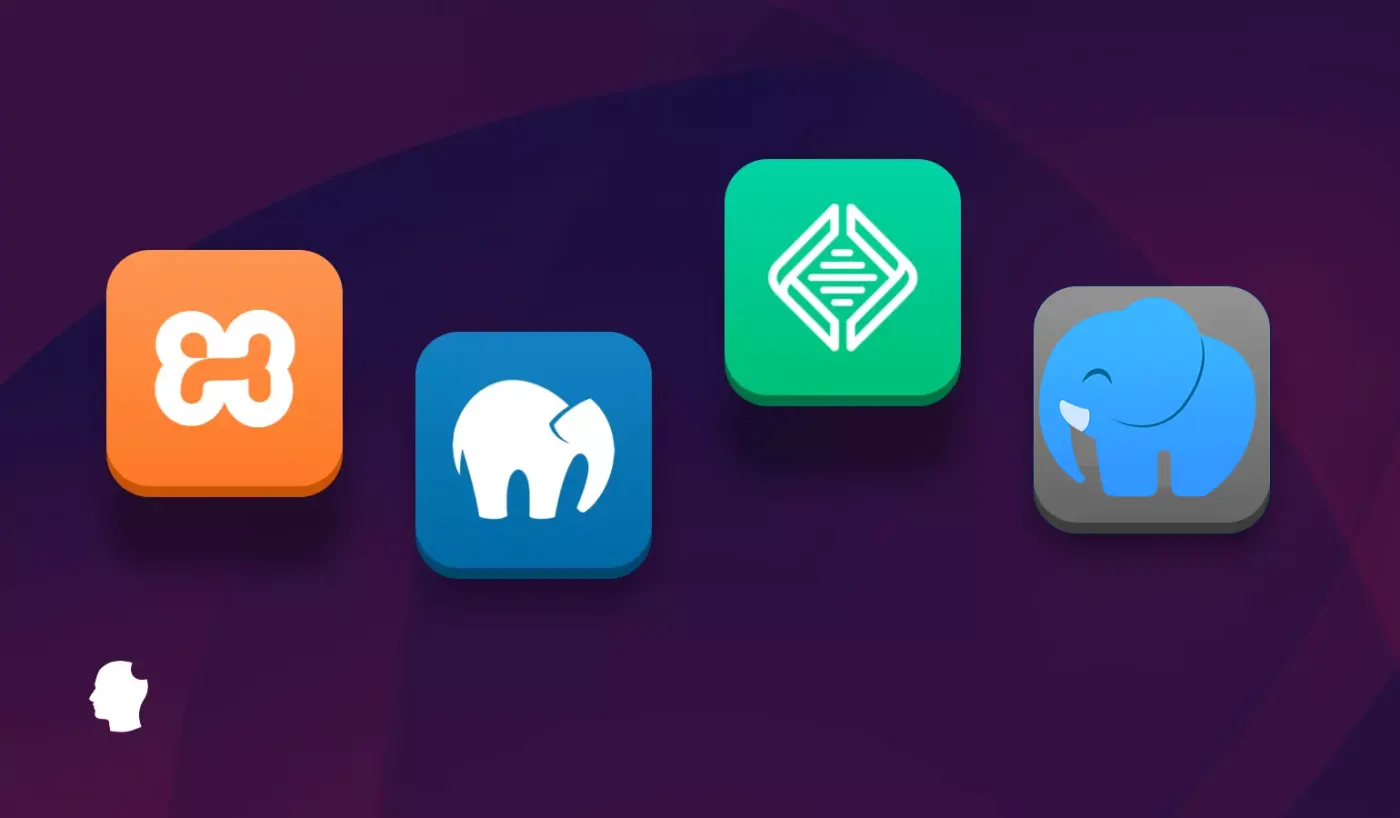
Every PHP developer has a local server story. The XAMPP install that broke on an OS update. The MAMP configuration that worked perfectly for six months and then stopped responding for no obvious reason. The afternoon spent hunting through config files to change a PHP version that a GUI tool should have handled in two clicks.
Local PHP development environments have been a solved problem for twenty years and an irritating problem for equally as long. The tools exist. They mostly work. And every developer has opinions about which one is the least annoying.
In 2026, the landscape has actually gotten more interesting than it has been in a while. Docker-based workflows have matured enough that they are genuinely viable for PHP developers without a DevOps background. Laragon has quietly become the tool that Windows developers recommend to each other. And the old guard - MAMP, WAMP, XAMPP - are still here, still updated, and still the right answer for specific situations.
Advertisement
Here is the honest breakdown of every option worth considering, who each one is right for, and the answer to the question that gets asked most often: should you still be using these tools at all in 2026, or has Docker finally made them obsolete?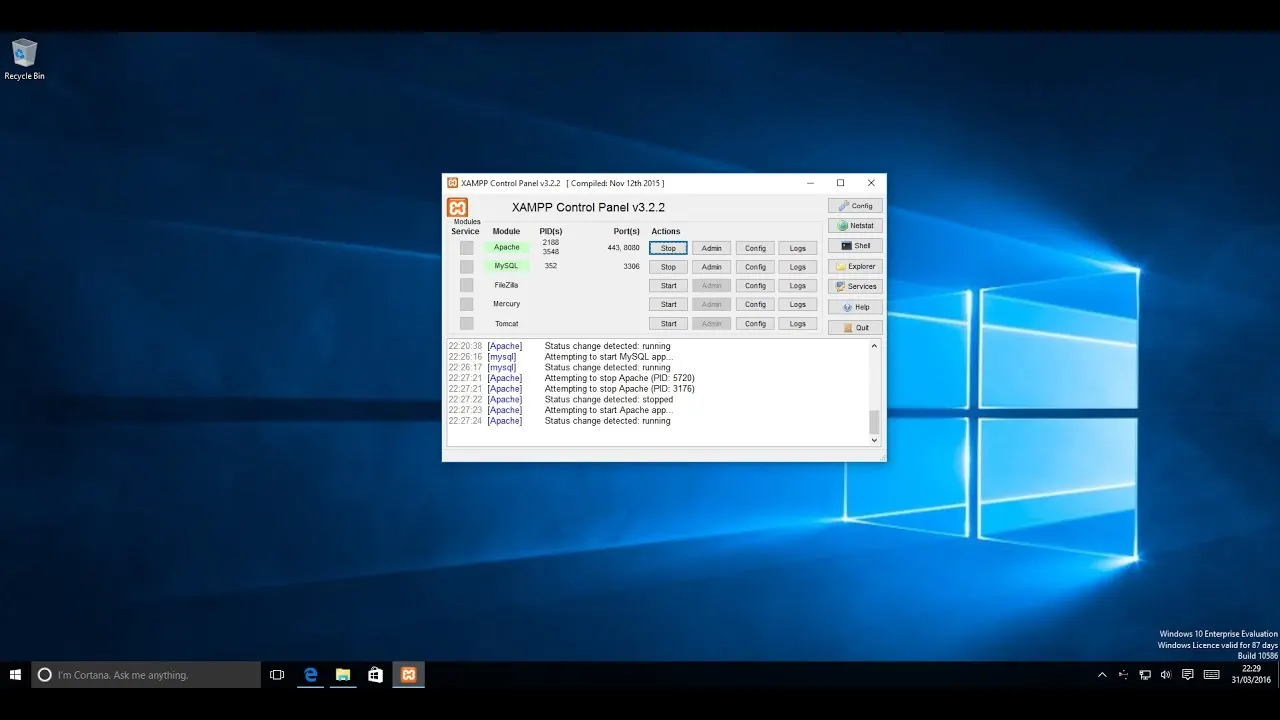
What a Local PHP Server Actually Does - And Why It Matters
Before the comparisons, it is worth being precise about what these tools are solving.
When you build a PHP application, you need three things running locally to test it properly: a web server (Apache or Nginx) that handles HTTP requests the way a production server would, a PHP interpreter that processes your code, and a database (MySQL or MariaDB) that stores and retrieves your data.
You could install each of these individually and configure them to work together. For experienced developers who want precise control, this is sometimes the right choice. For most developers who want to start building rather than spend a day configuring infrastructure, a stack tool that bundles all three and provides a simple interface to start, stop, and configure them is significantly more practical.
That is what MAMP, WAMP, XAMPP, and Laragon are: bundled local server stacks with management interfaces. The differences between them are in which operating systems they support, how they handle PHP version switching, what their configuration interfaces look like, and how much they get out of your way once they are running.
XAMPP - The Cross-Platform Standard
XAMPP is the tool most PHP developers encounter first, and there are good reasons for that.
The name tells you its architecture: Cross-platform, Apache, MariaDB, PHP, and Perl. Cross-platform is the key word - XAMPP runs on Windows, macOS, and Linux, which makes it the default recommendation when you do not know which OS the person you are helping is using.
The XAMPP control panel gives you start and stop buttons for Apache and MySQL, quick access to phpMyAdmin for database management, access logs, and a configuration shortcut that opens the relevant config files directly. It is not beautiful software. It is functional software that has not changed dramatically in fifteen years, which in this context is mostly a compliment - the interface does what it needs to do without surprises.
PHP version management is XAMPP's most significant limitation in 2026. Each XAMPP version ships with a specific PHP version. Switching PHP versions means downloading a different XAMPP installer, which is a more involved process than the one-click PHP version switching that Laragon and MAMP offer. If your work requires testing across multiple PHP versions - which it often does when you are maintaining legacy code alongside newer projects - XAMPP makes this harder than it should be.
XAMPP 8.2.12 is the current version in 2026, shipping with PHP 8.2 and MariaDB 10.11. The release cadence has been consistent and the tool is well-maintained despite its age.
Worth noting: XAMPP's portable installation option - running from a USB drive without installing to the system - is genuinely useful in specific situations. Testing on a client machine, carrying your development environment between machines, or running a second stack without conflicting with an existing installation. No other tool in this roundup offers this as cleanly.
Best for: Developers on any OS who need a cross-platform solution. Beginners who want a well-documented, widely-used tool with extensive community resources. Developers who need portable installation capability.
Not ideal for: Windows developers who need easy PHP version switching. Developers maintaining multiple projects on different PHP versions simultaneously.
WAMP - Windows PHP Development Done Simply
WampServer is Windows-only, maintained by a small French team, and has been quietly excellent for Windows PHP developers for years.
The key advantage WampServer has over XAMPP on Windows is PHP version management. WampServer 3.4.0 ships with six PHP versions bundled - you switch between them from the system tray icon without downloading or reinstalling anything. If your project requires PHP 7.4 for legacy compatibility and your new project targets PHP 8.3, switching takes three clicks. This is genuinely the best PHP version switching experience of any bundled stack tool.
The tray icon interface is WAMP's defining characteristic. Right-click the icon in your system tray and you have immediate access to start and stop services, switch PHP and Apache versions, open phpMyAdmin, access configuration files, and restart individual services. For Windows developers who are comfortable with tray applications, this is fast and unobtrusive. For developers who prefer GUI control panels, it is less immediately intuitive than XAMPP's more visual approach.
VirtualHost support - setting up multiple local domains rather than everything running under localhost - is well-integrated in WampServer and makes multi-project development significantly cleaner than the default localhost/projectname URL structure. This matters more than it might seem when you are working on three client projects simultaneously and want each to behave like it would in production.
Apache and MySQL modules can be enabled and disabled through the tray menu, which is useful for projects that need specific Apache modules without manual config file editing.
The limitation is the obvious one: Windows only. If you ever need to develop on macOS or Linux, WAMP is not an option.
Best for: Windows PHP developers, especially those working across multiple PHP versions or multiple client projects. Developers who want fast PHP version switching without reinstalling the stack.
Not ideal for: macOS or Linux developers. Anyone who needs to share a consistent environment with teammates on different operating systems.
MAMP - The Mac Default, Now Cross-Platform
MAMP started as a macOS tool - the M originally stood for Mac - and for a long time was the default recommendation for PHP development on Apple hardware. It has since added Windows support, though macOS remains its native platform.
The MAMP interface is cleaner than XAMPP's and provides easy switching between Apache and Nginx as the web server, PHP version selection, and port configuration through a straightforward GUI. The free version covers the basics well. MAMP PRO - the paid tier at around $99 per year - adds individual hostname configuration per project, automatic virtual host creation, SSL for local development, cloud sync for project settings, and multiple server configuration profiles.
For individual developers on Mac who want a polished local environment without configuration overhead, MAMP free is a reasonable choice. The PHP version list is comprehensive - the 2026 version supports PHP 7.2 through 8.3 - and switching between them is a single dropdown selection.
The honest comparison to make is between MAMP PRO and Laragon on Windows, or between MAMP and Docker on Mac. For Mac users who want a clean GUI tool without the overhead of container-based development, MAMP PRO delivers a more polished experience than the free version justifies spending money on - but it is competing with free tools that have caught up significantly.
Where MAMP Pro earns its price: the individual hostname per project feature, which lets you access your projects at custom.local rather than localhost:8888/project, is a meaningful quality-of-life improvement that makes local development behave more like production. When you are working across multiple projects, the clean URL separation reduces context confusion in ways that are hard to articulate but easy to feel.
✦ Free Newsletter ✦
Never miss a story
Tools, tutorials and AI deep-dives - straight to your inbox, every week.
Best for: Mac developers who prefer a polished GUI tool over command-line configuration. Teams where some members are not comfortable with config file editing. MAMP PRO for Mac developers with multiple active client projects who want clean individual hostnames.
Not ideal for: Budget-conscious developers where free alternatives cover the same needs. Windows developers where Laragon is a better fit. Developers comfortable with Docker who want production parity.
Laragon - The One Windows Developers Should Be Using
Laragon has been growing by word of mouth for several years, and in 2026 it is genuinely the best bundled local PHP server for Windows.
The pitch: fast, isolated, portable, and the best PHP and server version switching of any stack tool available. Install Laragon, point it at a folder, and you are running. Switch PHP versions from the tray menu. Switch between Apache and Nginx. Add Node.js, Redis, Memcached, or MongoDB as optional services. Create a virtual host with a custom domain in two clicks.
The speed difference compared to XAMPP is noticeable in everyday use. Laragon is written partly in C rather than being a collection of shell scripts and batch files, which makes it start faster and respond more quickly to configuration changes. This sounds like a minor detail. When you are restarting a service for the fifteenth time while debugging a configuration issue, it stops feeling minor.
Laragon's automatic virtual host creation is its standout feature. Create a folder inside the Laragon www directory, and Laragon automatically creates a hostname for it - projectname.test - and configures Apache or Nginx to serve it correctly. No editing hosts files. No Apache virtual host configuration. The folder exists, the domain works.
PHP version switching works by downloading portable PHP packages and selecting them from the menu - you are not locked to whatever version shipped with the installer. Multiple PHP instances can coexist, and switching between them for different projects is genuinely smooth.
The one caveat worth stating clearly: Laragon is free but is developed by a solo developer. The update cadence reflects that - it is not as predictable as the team-maintained tools. The community around it is active enough that most questions get answered, and the core stability is good. But if your organisation requires software with a formal support structure, Laragon's development model is a consideration.
Best for: Windows PHP developers who want the best developer experience of any bundled stack. Anyone coming from WAMP or XAMPP who wants a cleaner, faster alternative. Laravel, WordPress, and custom PHP project development on Windows.
Not ideal for: Developers who require formally supported software. Mac and Linux developers where Laragon is not available.
Docker - The Option That Keeps Coming Up
Any honest guide to PHP local development in 2026 has to address Docker, because it keeps coming up in the conversation and the question of whether to use it is genuinely worth answering.
Docker's argument: instead of a bundled stack that approximates a production environment, use containers that replicate your actual production environment exactly. The same PHP version, the same MySQL version, the same Nginx configuration. No "it worked on my machine" conversations. No configuration drift between your local setup and the server.
The argument is legitimate and in team environments where multiple developers are working on the same project, Docker with a shared docker-compose.yml file is genuinely the right answer. Everyone runs identical environments. Onboarding a new developer means running docker-compose up rather than walking them through XAMPP configuration.
For solo developers or small teams doing custom PHP work, the calculation is different. Docker adds overhead - conceptual overhead in understanding containers, volumes, and networking, and practical overhead in writing and maintaining docker-compose configuration files. For a developer who wants to open their editor and start building a PHP application quickly, MAMP, WAMP, or Laragon is faster to get running and requires less ongoing maintenance.
The practical split in 2026: teams and developers who want production parity and are comfortable with containers use Docker. Solo developers and small shops who want to get up and running quickly and keep their local environment simple use bundled stack tools.
Neither is wrong. They are optimising for different things.
The Comparison Table You Actually Want
Here is the honest breakdown of the key decision factors:
Operating system support
XAMPP - Windows, macOS, Linux
WAMP - Windows only
MAMP - macOS primarily, Windows available
Laragon - Windows only
Docker - all platforms
PHP version switching
XAMPP - requires downloading different version
WAMP - built-in, six versions bundled, tray menu switching
MAMP - dropdown selection, comprehensive version list
Laragon - portable PHP packages, clean menu switching
Docker - defined per project in docker-compose.yml
Virtual host setup
XAMPP - manual config file editing
WAMP - supported, some manual configuration
MAMP PRO - automatic per project, key selling point
Laragon - automatic on folder creation, best in class
Docker - configuration in docker-compose.yml
Cost
XAMPP - free
WAMP - free
MAMP - free for basic, $99/year for Pro
Laragon - free
Docker - free (Docker Desktop has licensing restrictions for large companies)
Best use case
XAMPP - cross-platform, portable, widely documented
WAMP - Windows, multiple PHP versions, multiple projects
MAMP - macOS, polished GUI, team environments
Laragon - Windows, best developer experience, fast setup
Docker - team environments, production parity requirements
The Decision, Simply
If you are on Windows: start with Laragon. It is the best experience available and free. WAMP is a solid second if you are already familiar with it and it is working for your workflow.
If you are on macOS: MAMP free covers the basics. If you are managing multiple client projects and want clean per-project hostnames, MAMP Pro justifies its cost. If you want free and are comfortable with a bit more configuration, XAMPP on Mac is a legitimate alternative.
If you are on Linux: XAMPP or a manual LAMP stack. Most Linux PHP developers configure their own stack through the package manager rather than using a bundled tool, and on Linux the installation process is straightforward enough to make that the better choice.
If you are working in a team on a shared codebase: Docker and docker-compose. The production parity and consistency across developer machines is worth the initial investment in learning the tooling.
If you are doing custom PHP development professionally and are already comfortable with your current setup - stay with it. The tool you know and that is working is better than the technically superior tool you spend a week learning to configure.
Local server tools are infrastructure. The goal is to spend as little time thinking about them as possible so you can spend more time on the actual work. Pick the one that disappears into the background most reliably for your specific situation.
That is the recommendation that all the comparison tables in the world are trying to arrive at anyway.

Advertisement