
The IDE market in 2026 has done something that rarely happens in mature software categories: it split.
On one side are the traditional tools that have dominated for years - VS Code, IntelliJ IDEA, Visual Studio, PyCharm. Reliable, deeply integrated, backed by massive ecosystems of plugins and institutional knowledge. On the other side are a new class of AI-native editors - Cursor, Claude Code, Windsurf, Zed - that have grown from zero to millions of users in under two years by treating AI as the primary interface rather than an add-on feature.
The split matters because the right answer to "which IDE should I use" now genuinely depends on where you fall between those two worlds. The developer who wants maximum control over a large, complex, long-lived codebase has different needs from the developer who wants to ship a feature in half the time they used to.
Advertisement
This guide covers both. Here is what is actually worth using in 2026, ranked honestly, with the actual reasons to choose each one rather than the marketing copy version.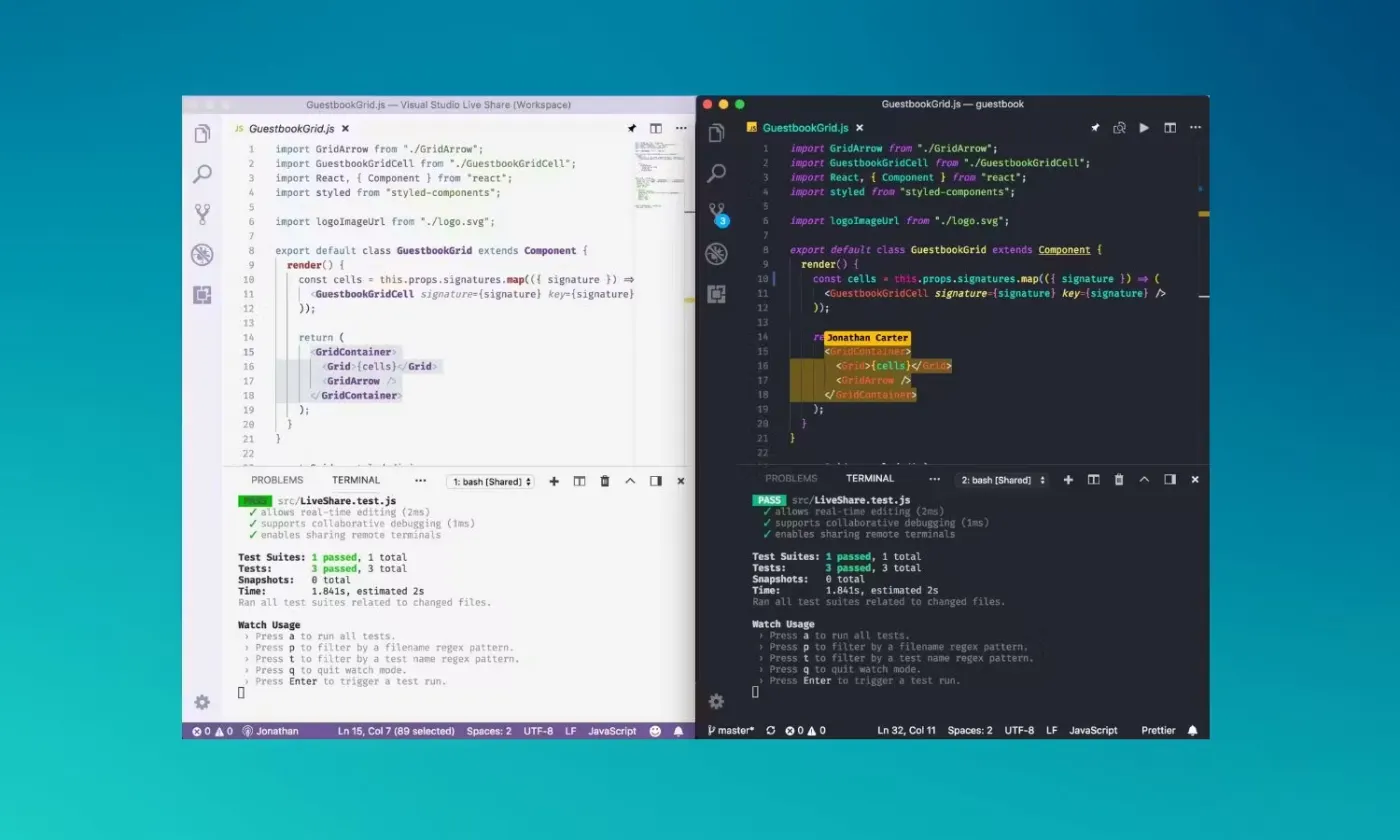
The Usage Numbers That Set the Context
Before getting into specific tools, the data from the Stack Overflow Developer Survey 2025 and the JetBrains State of Developer Ecosystem 2025 is worth anchoring on, because it cuts through a lot of the hype.
VS Code is used by 75.9% of developers. For five consecutive years, no tool has come close to threatening that position. Visual Studio (the full IDE, not the editor) sits at 29%. IntelliJ IDEA at 27.1%. Vim at 24.3%. Notepad++ at 27.4%.
And then the newcomer: Cursor debuted at 17.9% in its first year of tracking. Claude Code reached 9.7%. For reference, tools that take years to reach 5% adoption in developer surveys, Cursor hit nearly 18% in its first tracked year.
That trajectory is the story of 2026 IDE development. The traditional tools are not going anywhere. But the AI-native tools are growing faster than anything the category has seen before.
VS Code - Still the Answer for Most Developers
VS Code at 73-76% adoption is not dominant by accident or inertia. It genuinely earns its position every year, and in 2026 it continues to do so.
The core proposition has not changed: free, open source, cross-platform, with a 40,000+ extension marketplace that means it handles every language, framework, and workflow anyone has encountered. The barrier to starting is zero. The ceiling of what you can make it do is extremely high.
What has changed in 2026 is the AI integration. GitHub Copilot is deeply embedded - code completion, chat, pull request summaries, code review, and now agentic coding through Copilot Workspace. The Microsoft ecosystem advantage means VS Code gets the best Copilot experience by default, without configuration overhead.
The honest limitation: VS Code is an editor that became an IDE through extensions. That architecture means it is extremely flexible and occasionally less polished than purpose-built tools for specific languages. A Java developer doing heavy refactoring across a large enterprise codebase will feel the difference between VS Code with Java extensions and IntelliJ IDEA with its native deep language understanding.
The recent switch to token-based billing for Copilot's agentic features is the most significant change to the VS Code value proposition in 2026. Developers who use Copilot for simple autocomplete are largely unaffected. Developers using Copilot Workspace for complex multi-step agentic tasks are seeing costs that can exceed what they expected from a flat subscription. Worth factoring into your toolchain economics.
Best for: Most developers, especially those working across multiple languages or frameworks. The default answer for anyone who does not have a strong reason to use something else.
Not ideal for: Heavy Java or Kotlin development where IntelliJ's deep language support wins meaningfully. Pure AI-native workflows where Cursor's architecture offers a better experience.
Cursor - The Fastest Growing IDE in 2026 and the Reason Why
Cursor arrived at a $2 billion valuation and 17.9% developer adoption in its first tracked year. Those numbers deserve an explanation rather than just admiration.
Cursor is VS Code rebuilt from the ground up with AI as a first-class citizen rather than a plugin. The practical difference: where Copilot in VS Code is an extension that reads your file and makes suggestions, Cursor's AI has awareness of your entire codebase, understands the relationships between files, can take a described task and implement it across multiple files simultaneously, and can iterate on errors without you needing to copy-paste them back into a chat window.
The Composer feature - Cursor's multi-file editing agent - is the thing that developers switch for. You describe a feature. Cursor reads the relevant parts of your codebase, generates the changes across however many files are involved, shows you a diff, and waits for approval. The iteration loop is dramatically tighter than doing the same thing manually or through a Copilot chat that does not understand your full project context.
The AI Models settings in Cursor allow switching between different underlying models - Claude, GPT-4, Gemini - depending on task requirements, which gives power users more control over cost and performance than single-model alternatives.
What Cursor is not: a replacement for IntelliJ if you need deep Java language intelligence. A replacement for Xcode if you are building native Apple platform apps. A tool for developers who are not comfortable with AI writing significant portions of their code - the workflow assumes you are evaluating AI output rather than writing every line yourself.
The pricing change at GitHub Copilot - away from flat subscription and toward consumption-based billing - has made Cursor's flat Pro subscription look more attractive to heavy agentic users. That competitive dynamic has benefited Cursor's growth.
Best for: Developers who have already adopted AI coding workflows and want an editor built around them. Full-stack developers, solo founders, and teams shipping features quickly.
Not ideal for: Language-specific deep work that benefits from specialised tooling, large enterprise teams with standardised tooling requirements, developers not yet comfortable with agentic coding workflows.
IntelliJ IDEA - Still the Right Answer for Java and Enterprise
IntelliJ IDEA's position is uncomplicated: if you write Java or Kotlin professionally, it is the best tool available, and it has been for years.
The deep language intelligence in IntelliJ - the refactoring tools, the static analysis, the framework-aware code completion that understands Spring, Hibernate, Jakarta EE - is built into the IDE itself rather than delivered through extensions. The result is a more polished, more reliable experience for Java-heavy work than VS Code with Java extensions can match.
IntelliJ IDEA Ultimate is not free, which matters for the comparison. The subscription cost - around $249 per year for individual developers - is meaningful relative to free alternatives, and the justification is the depth of the tooling for the specific use cases it serves well. The Community Edition covers Android and JVM development at no cost, which covers a significant portion of what most developers need from it.
JetBrains has been adding AI features through JetBrains AI Assistant, which integrates with multiple underlying models and covers code completion, chat, and code review within the IDE. It is behind Cursor in pure AI-native experience, but for developers whose primary interface with IntelliJ is not through AI workflows - which is still most IntelliJ users - the traditional tooling value remains the core proposition.
Best for: Java and Kotlin developers, Android developers, enterprise teams with complex Java codebases, any developer where deep language-specific intelligence is the primary requirement.
Not ideal for: Developers primarily working in JavaScript, Python, or multi-language environments where the cost premium over VS Code is harder to justify. Pure AI-first workflows.
Claude Code - The CLI Agent That Is Redefining Agentic Development
Claude Code reached 9.7% developer adoption in its first tracked year - remarkable for a command-line tool with no GUI. The reason it is growing is also the reason it is different from everything else on this list.
Claude Code is not an IDE. It is a terminal-based AI agent that operates directly in your existing development environment. You run it from the command line, describe a task, and it reads your codebase, plans an approach, executes changes across files, runs tests, interprets failures, and iterates - without opening a separate window or requiring you to context-switch to a chat interface.
The practical workflow: you stay in your preferred editor (often VS Code or Cursor), run Claude Code in a terminal pane, and delegate complex multi-step tasks - refactoring, feature implementation, debugging - to the agent while you maintain context in your editor. The combination of Claude Code handling heavy lifting and your editor for direct work and review has become a popular workflow among developers who want the best of both.
✦ Free Newsletter ✦
Never miss a story
Tools, tutorials and AI deep-dives - straight to your inbox, every week.
What makes Claude Code distinct from Cursor's Composer or Copilot Workspace is the CLI-first philosophy. Developers who live in the terminal, run remote development environments, or prefer not to switch IDEs get agentic coding capability without changing their tools. It integrates naturally into existing workflows rather than requiring workflow changes.
The trust question that applies to all agentic tools applies here acutely: Claude Code will make changes across your codebase based on your description and its understanding of your project. Reviewing what it did before accepting it is non-negotiable - and Claude Code's output of diffs and explanations for each change is designed to make that review practical rather than theoretical.
Best for: Developers who want agentic AI in their existing workflow without switching editors. Terminal-comfortable developers. Remote development environments. Teams using VS Code or other editors who want agentic capability without migrating to Cursor.
Not ideal for: Developers who prefer GUI-first workflows, anyone not comfortable with reviewing AI-generated code before acceptance.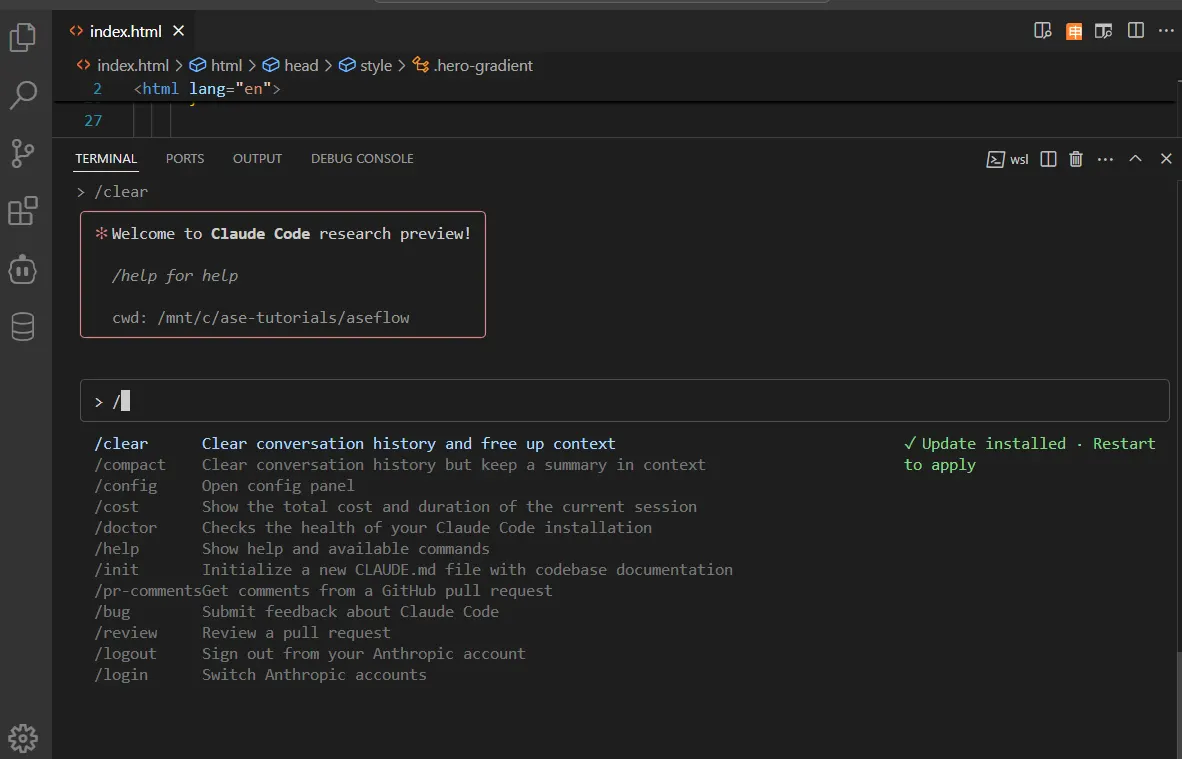
Zed - The Performance Dark Horse
Zed is the IDE that performance-focused developers recommend to each other in 2026, and it deserves more coverage than it gets.
Built in Rust, Zed starts in under a second, handles extremely large files without degrading, and stays responsive under conditions that VS Code extensions tend to make sluggish. If you have felt the creeping slowness of VS Code after a few months of extension accumulation, Zed's snappiness is immediately noticeable.
The collaborative editing is genuinely different from anything else on this list - multiple developers can edit the same file simultaneously with cursor positions visible, voice and video built in, without a separate screen-sharing tool. For pair programming and code review sessions, it is the most natural real-time collaborative development experience available.
AI integration arrived through Zed AI, which brings chat and code generation into the editor. It is not yet at Cursor's level for full agentic workflows, but for developers who primarily want fast, clean editing with good AI assistance rather than an AI-first workflow, Zed delivers the editing experience with less overhead.
The extension ecosystem is smaller than VS Code's, which is the practical limitation. If your workflow depends on specific VS Code extensions, check Zed compatibility before committing.
Best for: Developers who prioritise editor performance above all else. Pair programming and collaborative development. Anyone whose VS Code has become slow enough to notice.
Not ideal for: Developers dependent on specific VS Code extensions that have no Zed equivalent. Full agentic AI workflows where Cursor is better equipped.
PyCharm - For Python Developers Who Want Everything in One Place
PyCharm occupies the same strategic position as IntelliJ - a JetBrains tool with deep language-specific intelligence, this time built specifically for Python.
The Scientific mode for data science and machine learning work, the Jupyter notebook integration, the Django and FastAPI framework awareness, the database tools built in - these are the features Python developers reach for when VS Code's Python extension coverage feels insufficient for their specific workflow.
PyCharm Community is free and covers most Python development needs. PyCharm Professional adds database tools, web framework support, and remote development capabilities, at a subscription cost similar to IntelliJ IDEA.
For data scientists and ML engineers who spend their day in Python, Jupyter, and SQL, PyCharm Professional reduces context-switching in a way that the VS Code Python extension does not fully replicate. For general Python development, VS Code with the Python extension and Pylance is a strong alternative that costs nothing.
Best for: Professional Python developers, data scientists and ML engineers, Django and FastAPI developers who want deep framework integration.
Not ideal for: Multi-language development, cost-sensitive developers for whom VS Code covers their Python needs adequately.
Windsurf - The Underrated Agentic Alternative
Windsurf, from Codeium, positions itself as a direct Cursor competitor - an AI-native IDE built on VS Code's foundation with deep agentic capabilities built in. It has grown more quietly than Cursor but warrants inclusion because the feature set is genuinely comparable and the pricing is more accessible for individual developers and small teams.
The Cascade system - Windsurf's multi-file agentic coding agent - handles complex implementations across a codebase in a way that competes directly with Cursor's Composer. For developers who have tried Cursor and found it expensive, or who want to compare AI-native editors before committing, Windsurf is the alternative worth a serious evaluation rather than a quick dismissal.
The VS Code extension ecosystem compatibility - since Windsurf is VS Code-based - means migration from VS Code is lower friction than switching to a fully different editor.
Best for: Developers evaluating AI-native IDEs as an alternative to Cursor, particularly those where pricing is a factor.
Not ideal for: Developers who have already committed to Cursor and are satisfied with it. The differentiation is not dramatic enough to justify switching if you have an established workflow.
The Decision Framework That Cuts Through Everything
Here is the honest way to make this decision:
If you write Java or Kotlin primarily - IntelliJ IDEA. Nothing else competes meaningfully for your primary use case.
If you build Apple platform apps - Xcode. Not optional, not replaceable for native iOS and macOS development.
If you want AI-native agentic development as your primary workflow - Cursor first, Windsurf as the comparison. Try both before committing.
If you want agentic AI in your existing editor without switching - Claude Code as a terminal agent alongside VS Code or Cursor.
If you want a fast, clean editor with good AI and do not need the full agentic workflow - Zed is worth a serious trial.
If you want the safest, most versatile default that handles almost everything - VS Code. The 73% adoption rate is not luck.
The meta-point worth internalising in 2026: your IDE choice increasingly reflects your stance on AI-assisted development as much as your language preferences. The traditional tools are getting AI features as add-ons. The new tools were built around AI from the ground up. If you are spending significant time in AI coding workflows already, a purpose-built environment is worth the transition cost. If you are not, the best version of your existing tool is probably fine.
The IDE market will look different again in 2027. The AI-native tools are moving fast enough that annual re-evaluation is worthwhile in a way it has not been for most of the past decade.
That is actually a more interesting place for the category to be than the stable, slow-moving market it was before.

Advertisement