The real question in the NVMe vs SATA SSD debate isn't which drive is faster on paper. It's whether your workload ever touches the ceiling that makes SATA the bottleneck. For most everyday tasks, it doesn't. For DirectStorage games, large video exports and heavy multitasking, it does, and that gap is where the decision actually splits.
Key takeaways
- SATA III tops out around 550 to 560 MB/s in practice, a ceiling set by the interface itself, not the drive inside it.
- PCIe 5.0 NVMe drives from Kingston, PNY and Samsung now rate as high as 14,700 to 14,900 MB/s, roughly 25 times the SATA limit on paper.
- Tom's Hardware's own 11-game test found that real load-time gains are often just a few seconds, except in DirectStorage titles where PCWorld measured a 77 percent cut in scene load time.
- PCWorld's 2026 buying advice defaults to NVMe unless your hardware can't take it, but SATA still makes sense for NAS bays and older machines.
The Gap Is 25x on Paper and Far Smaller in Daily Use
SATA and NVMe SSDs are not competing drive technologies so much as two different plumbing systems attached to the same kind of flash memory. SATA III runs at a fixed 6 Gb/s line rate, which works out to a theoretical ceiling near 600 MB/s once encoding overhead is accounted for. NVMe drives instead connect over PCIe lanes, and each new PCIe generation roughly doubles the available bandwidth.
That is where the eye-catching multiples come from. A current PCIe 5.0 drive on an M.2 slot can reach up to about 15.8 GB/s of interface bandwidth, according to Tom's Hardware's coverage of the segment. In practice, that translates to real products: Kingston's own datasheet for the FURY Renegade G5 rates its 2TB model at up to 14,700 MB/s read and 14,000 MB/s write, and Tom's Hardware has clocked the Samsung 9100 Pro and PNY CS3250 in the same 14,000 to 14,900 MB/s neighborhood. That is roughly 25 times a SATA drive's real-world throughput, at least on a spec sheet.
Advertisement
SATA's 600 MB/s Ceiling Has Not Moved in Over a Decade
If you only look at one number for SATA, it's this: no SATA SSD, however new, can exceed the interface's own limit. PCWorld's 2026 SSD buying guide lists a mainstream drive like the Samsung 870 EVO at roughly 550 MB/s sequential speed, which is essentially where the format has sat for years. That ceiling is not a flaw in any particular drive; it's a hard wall built into the SATA III standard itself.
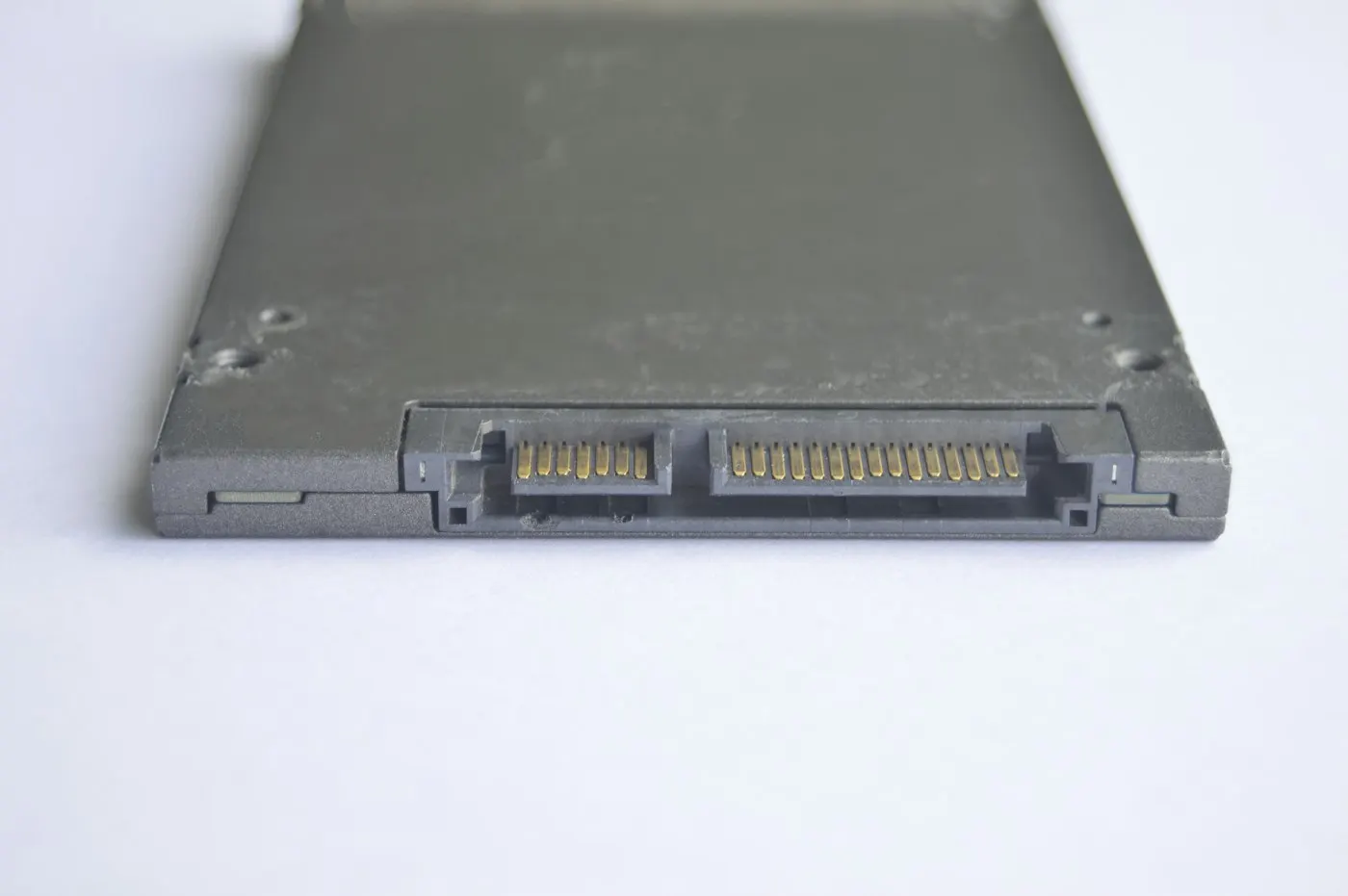
This matters because it means SATA's appeal today has nothing to do with speed and everything to do with compatibility and cost efficiency for bulk storage. A 2.5-inch SATA SSD still drops into any laptop or desktop bay built in the last fifteen years, and it remains the default option for NAS enclosures and external bulk storage, where network throughput usually caps real-world speed well below what even SATA can deliver, let alone NVMe.
PCIe 4.0 Is the Sweet Spot Most Buyers Actually Need
Between the two extremes sits PCIe 4.0, the generation most new desktops and laptops shipped with over the past few years. Its interface ceiling runs roughly 7.9 GB/s raw, and mainstream PCIe 4.0 drives commonly land between 5,000 and 7,500 MB/s sequential read, around ten to fourteen times SATA's real throughput and comfortably ahead of anything most people will put to use day to day.
That is also why PCWorld's 2026 guidance leans toward PCIe 4.0 as the default recommendation for most PCs, in 1TB or 2TB capacities, rather than pushing buyers toward PCIe 5.0. The newer generation costs more per gigabyte and, as the next section shows, rarely delivers a proportional benefit outside a specific set of workloads.
DirectStorage Is Where the Gap Finally Becomes Visible
For years, the honest answer to "does NVMe actually feel faster" was a shrug. Tom's Hardware's own test spanning 11 game titles, from SATA through PCIe 5.0, found that flagship PCIe drives often deliver only marginal load-time improvements despite dramatically higher sequential throughput. In Ratchet & Clank: Rift Apart, the fastest drives shaved only two to three seconds off portal transitions compared with a SATA SSD, a real but modest difference.
Advertisement
DirectStorage changes that math. PCWorld's own test of Forspoken, a title built around Microsoft's DirectStorage API, found a SATA-based Samsung 860 EVO took 7.4 seconds to load a scene that an NVMe drive cleared in 1.9 seconds, a 77 percent cut. The reviewer expects that gap to widen as more games adopt DirectStorage rather than loading assets the traditional way. If you play current releases that lean on the API, NVMe stops being a nice-to-have and starts being the difference between a loading screen and none at all.

Portable SSDs follow a similar split, by the way: the fastest external drives now use NVMe controllers specifically to outrun what a SATA-based enclosure could ever deliver over USB.
✦ Free Newsletter ✦
Never miss a story
Tools, tutorials and AI deep-dives - straight to your inbox, every week.
Who Should Buy NVMe, and Who Can Safely Skip It
Use this as a decision rule rather than a rule of thumb you have to guess at:
- Buy NVMe if: you edit or export large video or RAW photo files, run several demanding applications side by side, play current DirectStorage-enabled titles, or are building a new PC with a free M.2 slot and no cost constraint forcing SATA.
- SATA is fine if: your laptop or desktop predates NVMe support, you're adding bulk or backup storage where network or enclosure bandwidth is the real limiter, or your budget is tight and you mainly browse, write documents and stream video.
- Skip the decision entirely if: your system only has a 2.5-inch bay or an mSATA slot. The choice has already been made for you by the hardware.
This matters most to anyone buying a new boot drive, upgrading an aging desktop, or specifying storage for a NAS build. It matters far less to anyone who already owns a working PCIe 4.0 NVMe drive and is wondering whether PCIe 5.0 is worth chasing; for that reader, the honest answer in the next section is usually no.

| Interface | Real-world sequential speed | Best fit | Weak point |
|---|---|---|---|
| SATA III | ~550-560 MB/s | Older hardware, NAS bays, budget bulk storage | Hard interface ceiling, can't be exceeded |
| PCIe 4.0 NVMe | ~5,000-7,500 MB/s | Most new PCs and laptops, gaming, everyday heavy use | Costs more per GB than SATA |
| PCIe 5.0 NVMe | ~14,000-14,900 MB/s | Video editing, large dataset work, future-proofing | Highest cost, often runs hot, needs a heatsink |
The Honest Counterpoint: More MB/s Does Not Always Mean a Better Experience
The strongest case against chasing NVMe, and especially PCIe 5.0, comes from the same Tom's Hardware testing cited above: in most of the 11 games tested, flagship PCIe 5.0 drives failed to meaningfully outrun PCIe 4.0 drives despite rated speeds roughly double as high. Windows itself does mostly small, random reads rather than long sequential ones, which is exactly the kind of workload where a faster interface helps least. Boot time differences between SATA and NVMe are typically small, closer to a couple of seconds than the dramatic jumps the spec sheets imply.
Advertisement
That's a fair steelman, and it means buyers chasing the biggest number on a spec sheet are often paying for headroom they won't use this year. Where the counterpoint falls short is durability of the decision: PCIe 5.0 drives and PCIe 4.0 boards are not going anywhere, and as DirectStorage titles become more common and game installs grow, the drives bought today will face workloads closer to Forspoken's than to a 2023 benchmark suite. Buying one tier of headroom above your current needs is a reasonable hedge; buying three tiers above it, purely for a spec sheet number, usually isn't.
Pricing adds another wrinkle. A 2026 memory and NAND supply shortage has pushed flash storage prices up industry-wide, much like the way RAM pricing has shifted for PC buyers this year, and PCWorld's own 2026 roundup notes SSD prices overall have risen as a result. That makes it harder to generalize about cost per gigabyte between tiers right now, so check current listings rather than relying on last year's price gap between SATA and NVMe.
What to Actually Buy, by Budget and Use Case
For a tight-budget SATA pick, PCWorld's 2026 guide names the Crucial BX500 as its top budget SATA SSD, citing solid everyday performance for the price, with the caveat that its QLC NAND slows noticeably during very long sustained write sessions. It's a reasonable choice for an older laptop or a secondary drive, not for heavy, continuous file transfers.
At the high end, if your motherboard has a PCIe 5.0 M.2 slot and your workload genuinely needs the throughput, example of what that tier looks like is the Kingston FURY Renegade G5, rated by Kingston's own datasheet at up to 14,700 MB/s read and 14,000 MB/s write at 2TB. For nearly everyone else, a mainstream PCIe 4.0 drive in 1TB or 2TB remains the better value, matching PCWorld's own default recommendation for most PCs built in 2026.
Advertisement
The Takeaway
Don't buy on the spec sheet alone. If your system supports NVMe and you play current, DirectStorage-era games, edit large files, or just want headroom for the next few years, PCIe 4.0 NVMe is the sensible default and PCIe 5.0 is worth the premium only if you already know you'll use it. If your hardware is older, you're filling a NAS bay, or your budget is the deciding factor, a SATA SSD like the BX500 is still a legitimate, non-compromise choice; it was never a bad drive, just a slower one.
Sources
- PCWorld: Best SSDs of 2026
- PCWorld: Microsoft's DirectStorage tested, NVMe vs SATA SSDs
- Tom's Hardware: SSD speed impact across 11 game titles, SATA to PCIe 5.0
- Tom's Hardware: PNY's PCIe 5.0 SSD at 14.9 GB/s
- Tom's Hardware: PCIe 5.0 interface ceiling and fastest mainstream drives
- Kingston: FURY Renegade G5 PCIe 5.0 NVMe M.2 SSD datasheet

Advertisement