Updated October 17, 2026
Shopping for a gaming laptop in 2026 is a strange experience. The hardware has never been more powerful. The prices have also never been more punishing. And somewhere in between the $800 budget options and the $6,000 "desktop replacement" monsters, there are genuinely brilliant machines that most buying guides don't spend enough time on.
This isn't a spec sheet dump. It's a breakdown of what matters, what doesn't, and which laptops are actually worth considering - based on specs, pricing, and independent reviews compared across different price points and use cases. We did not test these laptops ourselves.
Advertisement
What's new (October 17, 2026): The memory-driven price pressure this guide flagged with MSI's March warning has since spread across the whole industry. Dell, Lenovo, Acer and Asus have all raised PC prices by roughly 15 to 30 percent so far this year, and HP has told investors that memory now makes up about 35 percent of a typical PC's component cost, up from 15 to 18 percent just a few months earlier, according to Notebookcheck's reporting. The shortage behind those hikes is expected to stay tight well into 2027, so treat every laptop on this list as being about as cheap as it is likely to get for a while - waiting for a price drop is not a realistic strategy right now.
What's new (October 3, 2026): MSI told investors in March that it has only one to two months of secured memory inventory left and plans to raise prices on its gaming laptops and GPUs by as much as 15 to 30 percent, because DRAM suppliers Samsung and SK Hynix will not commit to long-term supply deals, according to Notebookcheck's report on the briefing. Separately, HP folded its standalone OMEN laptop line into its HyperX gaming brand at CES 2026, so the pick below (formerly "HP Omen Max 16") is now sold as the HyperX Omen Max 16, per HP's own product listing. Expect every laptop on this list to get more expensive, not cheaper, before the memory shortage eases.
What's new (September 19, 2026): The Intel Panther Lake CPUs this guide flagged as "starting to appear throughout the year" have now shipped in real gaming laptops. The 2026 Asus ROG Zephyrus G14 launched with a Core Ultra 9 386H processor paired with an RTX 5070 Ti configuration, confirmed by its Best Buy listing, at a starting price of $3,599.99 according to a Windows Forum report on the launch, and Razer's 2026 Blade 16 moved to the same Panther Lake chip, per its official Amazon listing. Notebookcheck separately confirmed Asus's rollout of a Panther Lake-powered 14-inch gaming laptop in the US. If you were holding out for Panther Lake before buying, that wait is effectively over - the chips are now shipping in current flagship configurations rather than being a "later this year" promise.
First: Stop Optimising for the Wrong Thing
Every year, people buy gaming laptops based on the GPU number on the box and feel vaguely disappointed six months later. So before the picks, let's talk about what you should actually be looking at.
VRAM is more important than raw GPU performance in 2026. The RTX 4050 with its 6GB VRAM is already choking on some texture-heavy AAA titles this year. If you're buying a laptop you plan to use for three years, 8GB is your minimum - and 12GB is where you want to land if budget allows. A slightly slower GPU with more VRAM will outperform a faster GPU that's starved for memory in 18 months' time.
TGP (Total Graphics Power) matters more than the GPU name. An RTX 5070 running at 85W and an RTX 5070 running at 140W are not the same product. They carry the same name on the box, but the performance gap between them is enormous. Always check the wattage figure - it's buried in the specs but it's one of the most honest indicators of real-world gaming performance you'll find.
Thermals will make or break your experience. A laptop that throttles under sustained load is a laptop that performs brilliantly for the first ten minutes of a benchmark and mediocrely for every gaming session after that. If a review doesn't mention sustained load performance, treat it with caution.
With that out of the way - here's what's worth buying right now.
Advertisement
Best Overall: HyperX Omen Max 16
HP has been quietly building toward this for years, and the HyperX Omen Max 16 (as the line is now branded after HP folded its standalone OMEN laptops into the HyperX name at CES 2026) is the result. It's not the flashiest option on this list, and it doesn't have the cult following of the ROG or Razer lines. What it does have is excellent thermal management, a punchy high-refresh display, and a price-to-performance ratio that consistently outclasses more expensive competitors in the same GPU tier.
The RTX 5070 Ti configuration hits the sweet spot for 1440p gaming without demanding you remortgage anything. Sustained gaming performance holds up better than most at this price. The design is restrained enough to work in non-gaming environments without screaming "I am a gamer" at a coffee shop, which for a lot of people matters more than they'll admit.
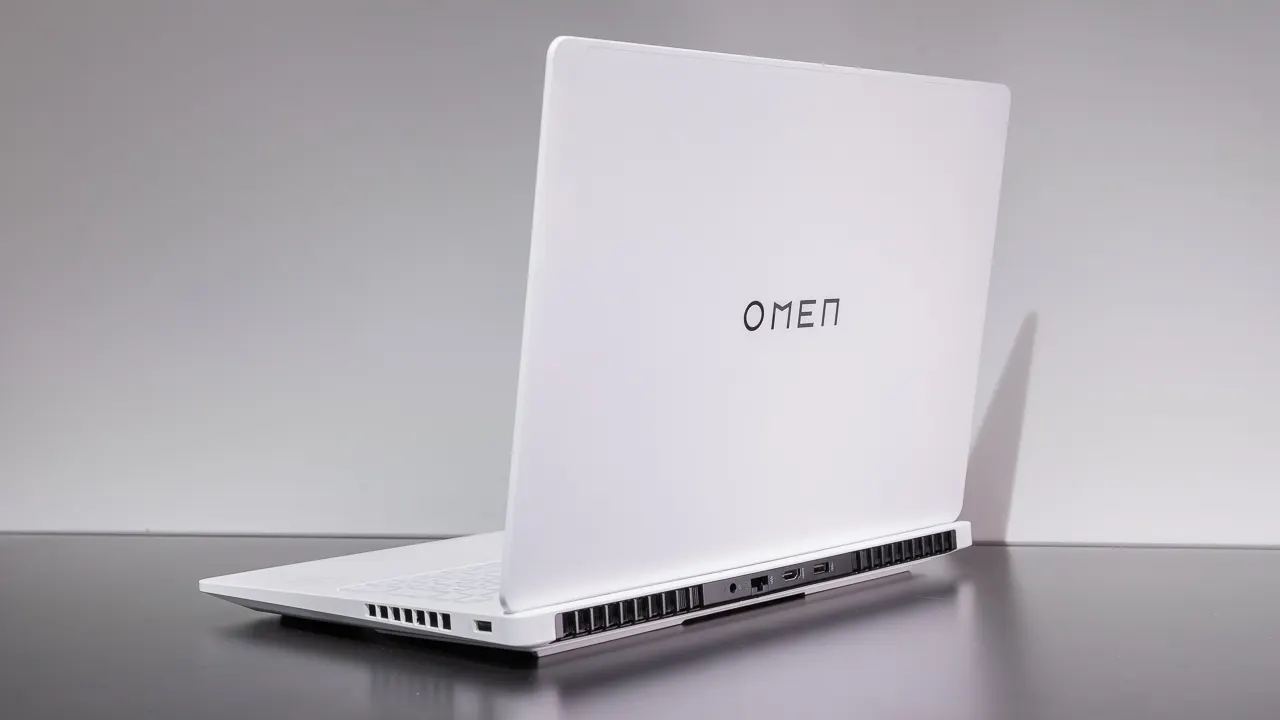
Best for: Most people who want a high-performance machine without the premium tax of more prestigious brands.
Best for Portability: Asus ROG Zephyrus G14 (2025 Model)
Here's the counterintuitive pick: the 2025 G14, not the new 2026 version.
The 2026 Zephyrus G14 is a genuinely great machine - it added RTX 5070 Ti configurations, refined the chassis, and kept the OLED display that made the previous generation so good. But the price jump is steep. The 2026 RTX 5070 Ti model comes in at around $3,600, which is over $1,100 more than the outgoing generation with comparable GPU performance.
The 2025 G14 with an RTX 5080 can be found for significantly less, depending on where you look. You get the same stunning OLED panel, the same chassis that actually fits in a bag, and broadly similar gaming performance. It's a rare case where the newer and more expensive option isn't obviously the smarter buy.
That OLED display deserves its own sentence. It's the best screen on any gaming laptop in this size class - rich, accurate, and genuinely beautiful whether you're gaming, watching, or just working. If you want a machine that earns its keep as both a travel laptop and a gaming rig, the G14 is still the one to beat.
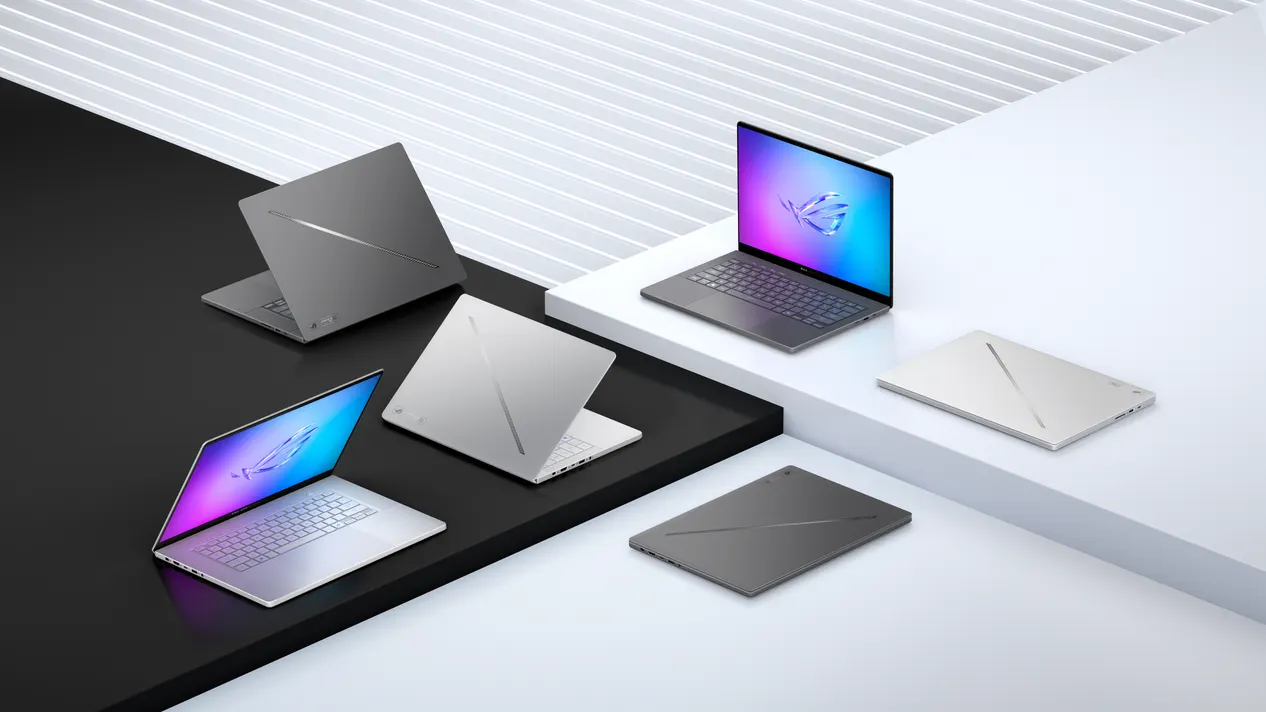
Best for: People who commute, travel, or want a MacBook-aesthetic laptop that secretly destroys games.
✦ Free Newsletter ✦
Never miss a story
Tools, tutorials and AI deep-dives - straight to your inbox, every week.
Best Budget Pick: HP Victus 15.6
Entry-level gaming laptops have historically been where compromises go to die. The HP Victus isn't perfect, but it makes the right compromises.
For around the $700-800 mark you get an RTX 4050, a 144Hz display, and battery life that actually survives a full day of light use - something that sounds trivial until you've owned a gaming laptop that dies in three hours doing anything that isn't plugged in. The RTX 4050's 6GB VRAM is the obvious limitation, and modern AAA titles are starting to bump against it. But for competitive gaming, older titles, or anything running at 1080p medium-high settings, it performs well.
The honest advice: if you're a student or buying for someone who primarily plays online multiplayer games, esports titles, or a games backlog, this does the job. If you're expecting to play every new release at max settings, spend more.
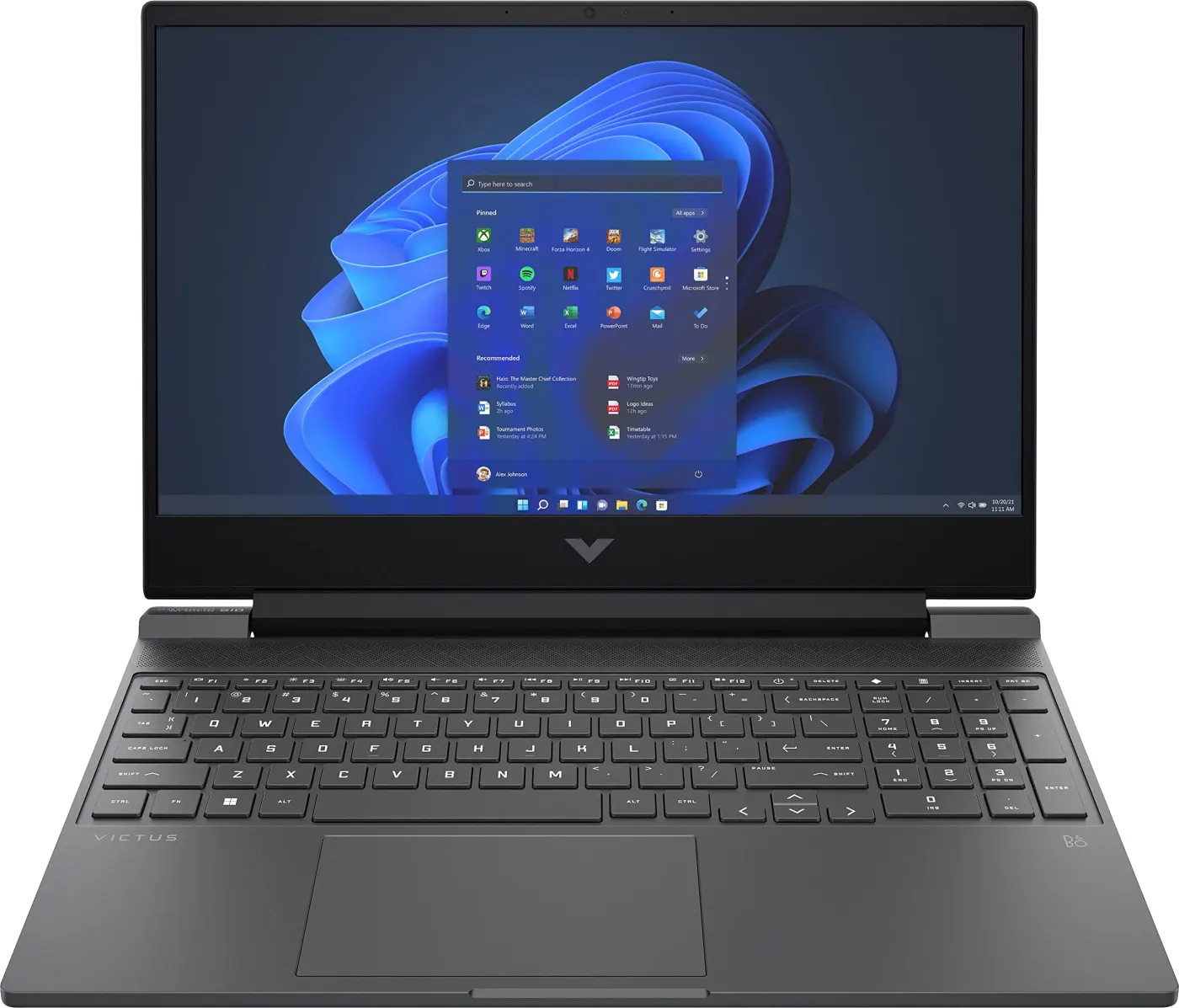
Best for: Budget-conscious buyers, students, anyone playing primarily esports or older titles.
Best High-End Pick: Asus ROG Zephyrus G16
Move up from the G14 in screen size and you land at the G16, which is a different proposition entirely. The larger chassis gives Asus room to run the GPU at higher wattage - which means the RTX 5080 configuration here actually delivers RTX 5080 performance, rather than the throttled version you sometimes get in thinner builds.
The display steps up to a QHD+ 240Hz OLED, which at 16 inches is a genuinely exceptional gaming experience. Frame rates that the GPU can actually sustain, colour accuracy that makes non-gaming use a pleasure, and a build quality that justifies what it costs.
Advertisement
If you game at home most of the time and want the closest thing to a desktop replacement that you can still move around without a trolley, the G16 earns its asking price.
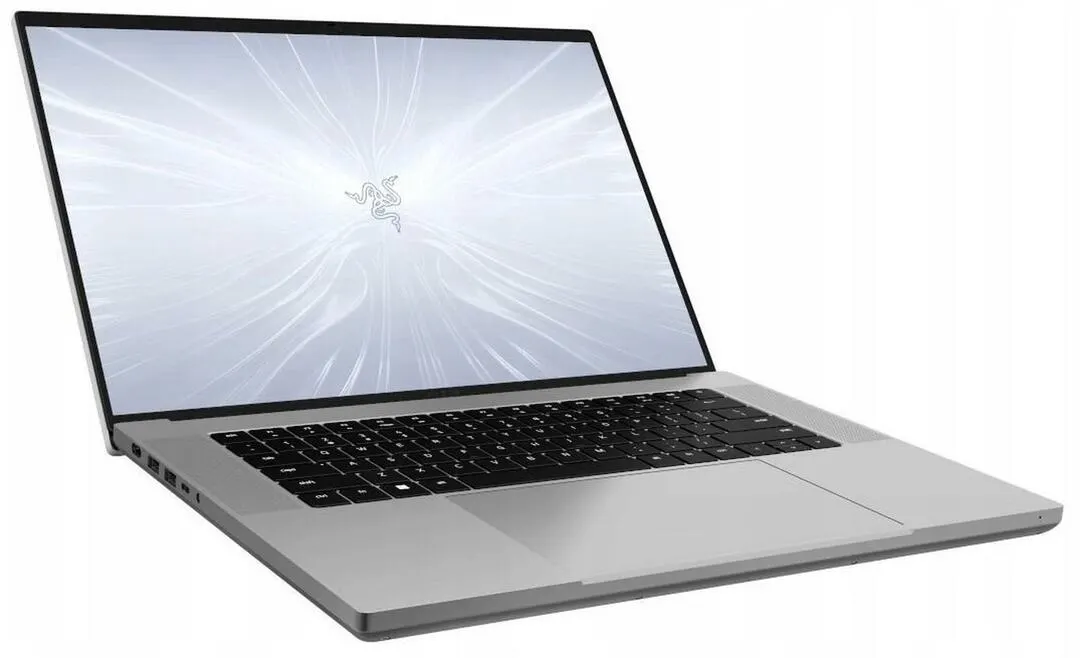
Best for: Serious gamers who want desktop-class performance without being fully desk-bound.
Best "Doesn't Look Like a Gaming Laptop": Razer Blade 16
Razer has spent years building something that the rest of the industry is still trying to copy: a gaming laptop that looks like a premium ultrabook. Thin black aluminium, minimal branding, no RGB explosion. You could put it on a meeting room table and nobody would immediately assume you spend your evenings raiding in World of Warcraft.
The hardware backs up the aesthetic. RTX 5080 configurations deliver strong performance in a chassis that manages heat better than it has any right to for its thickness. The 240Hz OLED panel is excellent. The keyboard is one of the better laptop keyboards in this category.
The drawback, as always with Razer: you're paying a premium for the design DNA. The Blade 16 will cost you noticeably more than competing machines with identical specs from Asus or MSI. Whether that premium is worth it depends entirely on whether the understated aesthetic matters to you.
Best for: Professionals who game - or anyone who wants the hardware without the look.
The One to Avoid Right Now: Ultra-Premium "Desktop Replacements"
At the very top of the market sit machines like the MSI Titan GT with RTX 5090 configurations pushing $6,000+. These exist, they're technically impressive, and in most practical scenarios they are a waste of money.
The problem isn't performance - the RTX 5090 is genuinely the fastest mobile GPU available. The problem is everything around it. Battery life measured in hours, not the comfortable kind. Weight that makes carrying them a workout. Cooling solutions so aggressive that the fan noise in a quiet room is distracting. And prices that buy you two very good laptops instead of one unnecessarily extreme one.
Unless you're doing GPU-accelerated creative work that specifically benefits from 5090-class VRAM and raw compute, the performance gap over an RTX 5080 configuration doesn't justify the price gap. Buy the next tier down and spend the difference on a monitor.
The State of Gaming Laptops in 2026: An Honest Assessment
This is genuinely a complicated year to buy. Nvidia's RTX 50-series mobile lineup is strong, but the inconsistency in how manufacturers implement TGP means two laptops with the same GPU can perform very differently. Intel's Panther Lake CPUs, previously expected to arrive "throughout the year," are now shipping in current models - the 2026 Zephyrus G14 and Razer Blade 16 have both moved to Panther Lake chips, which may shift some recommendations for buyers who prioritise CPU performance. And the 2026 wave of refreshes has pushed prices higher than they were 18 months ago, partly driven by component costs, partly by manufacturers testing what the market will bear.
The practical advice: if you need a laptop now, buy now - the picks above are solid. Panther Lake configurations have now started shipping in machines like the 2026 Zephyrus G14, so if CPU performance matters as much as GPU tier for your workload, it's worth comparing those against the RTX 5070 Ti and RTX 5080 picks above before you buy. And regardless of when you buy, prioritise VRAM, check the TGP, and read reviews that mention sustained load performance rather than just benchmark scores.
Advertisement
The games are getting better. The hardware to run them is getting more capable. The prices are making both of those things harder to celebrate than they should be. But the machines on this list represent genuine value at their respective tiers - and for most people, any one of them will be a significant upgrade over whatever they're replacing.
Frequently Asked Questions
- How much VRAM do I actually need in a 2026 gaming laptop?
- Aim for at least 8GB if you plan to keep the laptop for a few years - 12GB is ideal if your budget allows. 6GB cards like the RTX 4050 are already struggling with some texture-heavy AAA titles.
- What is TGP and why does it matter more than the GPU model name?
- TGP (Total Graphics Power) is the wattage a manufacturer allows the GPU to run at. The same GPU model can perform very differently depending on its TGP - always check this figure rather than assuming the GPU name guarantees a certain performance level.
- Is it worth buying an RTX 5090 gaming laptop?
- For most people, no. The performance gain over an RTX 5080 configuration rarely justifies the dramatic increase in price, weight, battery drain, and fan noise - unless you're doing GPU-heavy creative work that specifically benefits from the extra VRAM and compute.
Sources
- Best Buy: Asus ROG Zephyrus G14 (2026, Core Ultra 9 386H, RTX 5070 Ti) listing
- Windows Forum: Asus ROG Zephyrus G14 2026, RTX 5070 Ti starts at $3,599
- Notebookcheck: Asus releases new 14-inch gaming laptop in the US with Intel Panther Lake
- Amazon: Razer Blade 16 (2026, Core Ultra 9 386H, RTX 5080) listing
- Notebookcheck: MSI to raise gaming laptop and GPU prices by as much as 30% with memory shortage ongoing
- Business Today: HP unites OMEN and HyperX series into a single gaming powerhouse at CES 2026
- Notebookcheck: Laptop prices climb as RAM becomes a major cost driver (Dell, Lenovo, Acer, Asus price hikes; HP's memory cost-share comments)
Advertisement