There is a version of this review that spends three paragraphs explaining why the M5 MacBook Air is not the laptop for power users, creative professionals, or anyone who needs the absolute best performance available. That version is technically accurate and almost entirely useless.
Here is the more honest version: the M5 MacBook Air is the best laptop most people will ever need, it costs less than it probably should, and the upgrades Apple made this cycle - while not dramatic on paper - compound into something that feels noticeably better than what came before.
Apple released the M5 MacBook Air on March 11, 2026, starting at $1,099 for the 13-inch and $1,299 for the 15-inch. If you bought an M4 Air last year and are wondering whether to upgrade - probably not. If you are coming from an M2, M1, or anything older, or if you are buying a laptop for the first time - this is almost certainly the one to get.
Advertisement
Here is why.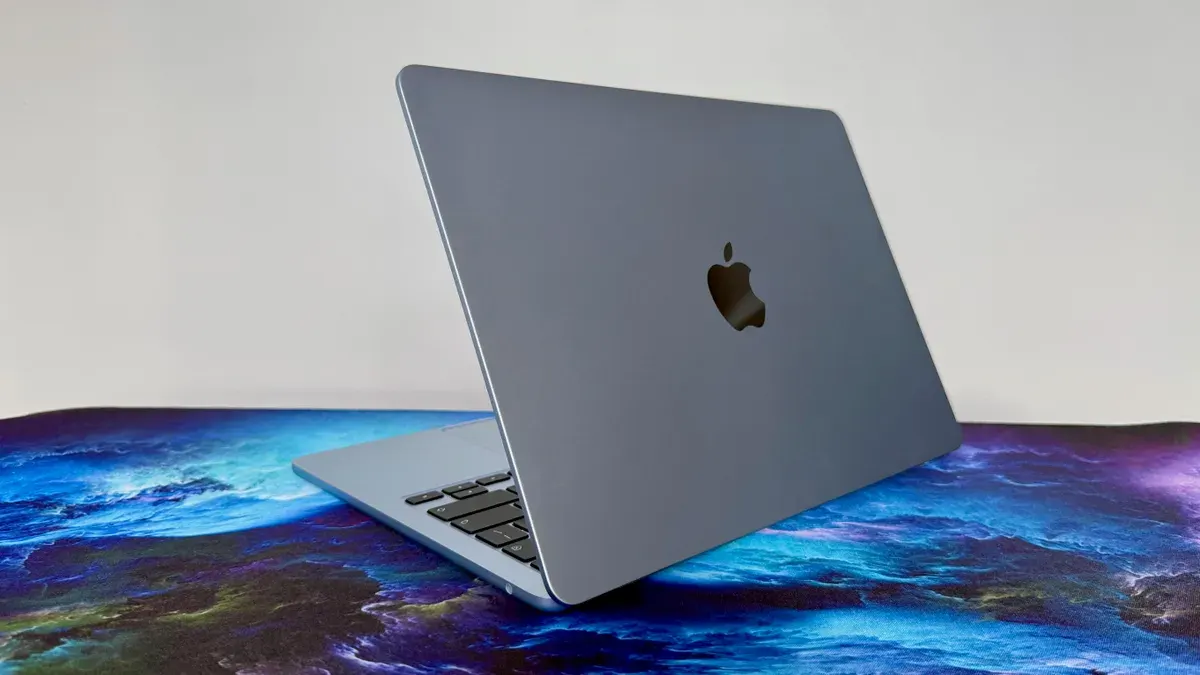
What the M5 Chip Actually Changes
The M5 is a 10-core CPU with four high-performance "super" cores running at 4.4GHz and six efficiency cores at 2.95GHz. There is a 16-core Neural Engine and memory bandwidth of 153GB/s - up from 120GB/s on the M4 - using LPDDR5X-9600 unified memory.
Those numbers are fine but they are not the story. The story is what happens when you use the machine across a day of real work.
The M5 delivers around 25-30% faster CPU performance than the M4 in multi-threaded workloads, which sounds modest until you feel it in practice. Photo editing that required a noticeable processing pause on the M4 becomes instant. Video exports that used to interrupt your workflow finish before you have switched to another tab. The machine never gets warm doing anything a normal person would ask of it.
The GPU is meaningfully faster than its predecessor too, reaching around 22,000 in Cinebench GPU tests - roughly 92% of what the M5 MacBook Pro achieves in the same test. For a fanless machine with no active cooling, that number is genuinely impressive. Gaming performance has improved enough that titles previously at the edge of playability are now comfortable. Apple claimed 100fps in testing on supported titles, and real-world results back that up for games optimised for Apple Silicon.
The Neural Engine - the part that handles AI tasks locally - is 4x faster than the M4's Neural Engine for AI processing workloads. With iOS 27 and the new Apple Intelligence features arriving on Mac this autumn, that headroom will matter more over the life of the machine than it does on day one.
The Default Specs Are Finally Sensible
One of the quiet frustrations with previous MacBook Air generations was that the base configuration was slightly too limited. 8GB RAM felt constraining for heavy browser use combined with any creative application. 256GB storage filled up uncomfortably fast for anyone with a meaningful photo library or video projects.
Apple fixed both of these with the M5 Air. The base model now ships with 16GB of unified memory standard - double the previous base - and 512GB SSD storage, also double the previous base. The SSD is faster too, with Apple claiming 2x the SSD performance of the M4.
These are not marketing upgrades. They change what the machine can do without configuration anxiety. 16GB means running Lightroom, a browser with twenty tabs, Slack, and a text editor simultaneously without watching the Activity Monitor nervously. 512GB means a realistic photography workflow without immediately needing an external drive.
The configurable options extend to 24GB or 32GB of unified memory and up to 4TB of SSD storage. For most people the base 16GB configuration is plenty. If you regularly work with large video files, Xcode builds, or run multiple heavy applications simultaneously, stepping up to 24GB is worthwhile. 32GB is for specific professional workflows that genuinely saturate that much memory.
Wi-Fi 7 and the Connectivity Upgrade
The M5 MacBook Air ships with Apple's N1 chip handling Wi-Fi 7 and Bluetooth 6. This is a meaningful connectivity upgrade that gets less attention than the chip improvements but matters considerably in day-to-day use.
Wi-Fi 7 delivers dramatically higher maximum throughput than Wi-Fi 6E, with lower latency and better performance in congested environments - offices, cafes, apartment buildings with many competing networks. If your router supports Wi-Fi 7, the difference in file transfer speeds and video streaming stability is noticeable. If your router is older, the M5 Air is backward compatible - you will just be waiting for the router upgrade before seeing the full benefit.
Bluetooth 6 is more of a future-proofing addition for now, as very few peripherals have implemented the new standard yet. But buying a laptop that will be in service for five or more years with Bluetooth 6 rather than 5 is the right call.
The physical port situation is unchanged from the M4 Air: two Thunderbolt 4 ports, one MagSafe charging port, and a 3.5mm headphone jack with support for high-impedance headphones. The dual Thunderbolt 4 ports support up to two external displays when using the MagSafe cable for power - a setup that works well for a desk docking situation while keeping the machine portable.
The lack of an SD card slot, which the MacBook Pro has, remains a frustration for photographers. A USB-C hub solves the problem but adds something to carry.
Battery Life: The Number That Actually Holds Up
Apple claims 18 hours of battery life for the M5 MacBook Air. Unlike some manufacturer battery claims that require the screen at minimum brightness running a single static webpage, this one holds up reasonably well in real use.
Mixed productivity work - writing, browsing, email, video calls, light photo editing - consistently delivers 12 to 15 hours on a charge. That is genuinely all-day battery for most people's working patterns. Heavier GPU workloads bring it down toward 8 to 10 hours, which is still excellent for a thin and light machine.
The new charging adapter is worth noting. The M5 Air ships with a 40W Dynamic Power Adapter that boosts to 60W when needed. Fast charging to full capacity requires the separately purchased 70W USB-C Adapter - worth buying if you frequently charge in a hurry and do not want to wait three hours to top up from 20%.
MagSafe charging remains one of the genuinely good hardware decisions Apple has made and stuck with. The magnetic connection saves laptops from falls, the cable detaches cleanly, and the LED indicator confirming charge status is a small thing that makes daily use slightly better.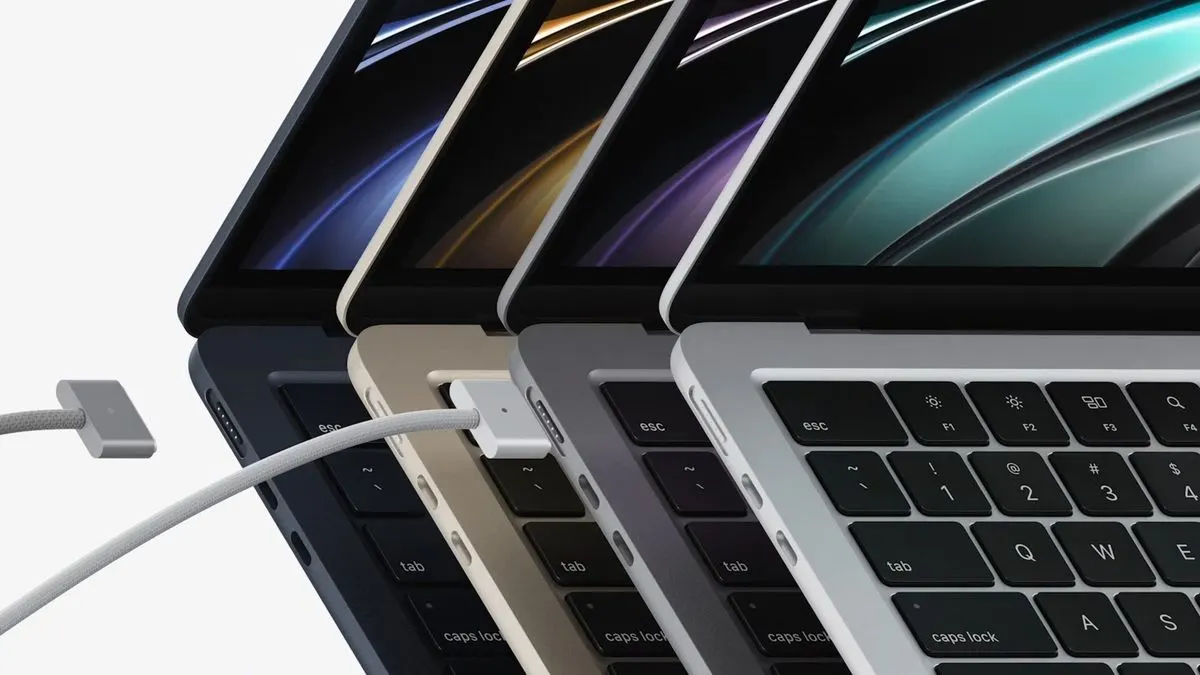
✦ Free Newsletter ✦
Never miss a story
Tools, tutorials and AI deep-dives - straight to your inbox, every week.
Display and Design: Unchanged and Still Excellent
The M5 MacBook Air uses the same chassis Apple introduced with the M2 generation in 2022 - uniformly thin at 11.3mm, weighing 2.7 pounds for the 13-inch and 3.3 pounds for the 15-inch. The flat-edged design has aged well. Four years in, it still looks current and premium in a way that many competitors' designs do not.
The 13.6-inch Liquid Retina display runs at 2560x1664 at 224ppi, with 500 nits peak brightness and P3 wide colour gamut. It is an excellent display. The 15.3-inch version runs at 2880x1864 at 224ppi with the same brightness and colour specifications.
What it does not have: ProMotion. The MacBook Pro's adaptive 120Hz refresh rate - which makes scrolling and animations noticeably smoother - is absent. At 60Hz, the Air's display is not bad. But once you have used a ProMotion display for a few days and switched back, the difference is visible. For creative professionals who spend their days in design or video applications, this matters. For most other people, it is a distinction that does not affect daily work.
OLED is coming to MacBook, but not yet. Reports suggest the MacBook Pro will get OLED displays before the end of 2026, with the MacBook Air following in 2027 or later. If display quality is your primary decision factor and you can wait, the roadmap is worth knowing about.
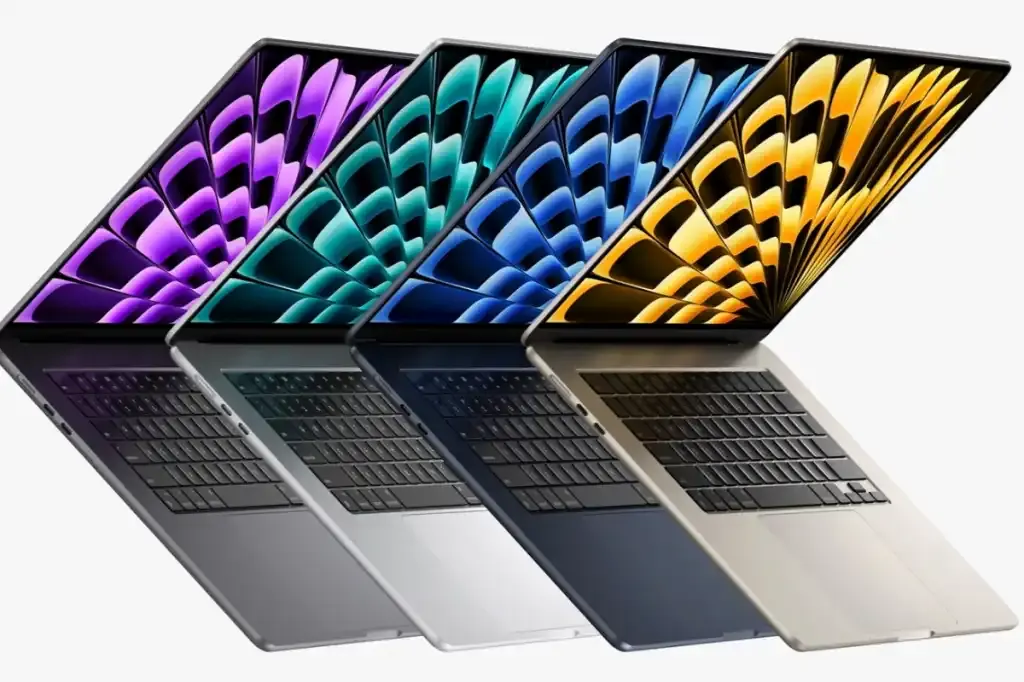
The colour options - sky blue, midnight, starlight, and silver - are well chosen. Sky blue in particular is a more distinctive option than the safe neutrals that previously dominated the range.
The Apple Intelligence Question
The M5 MacBook Air ships with macOS Tahoe and Apple Intelligence. On the Mac side, Apple Intelligence currently includes writing assistance, photo editing tools, image generation, and a rebuilt notification summary system. The full Siri AI overhaul announced at WWDC 2026 arrives on Mac this autumn with the macOS 27 update.
The M5's faster Neural Engine means these features run more quickly and more smoothly than on M4 hardware. On-device processing - where tasks are handled locally without sending data to a server - benefits directly from the faster neural engine throughput.
Worth noting: Apple Intelligence requires the device language and Siri language to be set to a supported language. The full feature set is currently available in English, with additional languages rolling out through 2026. EU users face additional complications due to regulatory compliance issues that are still being resolved.
For most buyers, Apple Intelligence is a feature that will matter more over the life of the machine than it does on day one. The hardware is ready for wherever the software goes. That is the right way to think about it.
Who Should Buy Which Model
The 13-inch at $1,099 is the right answer for most people. It is genuinely portable - light enough to forget in a bag, small enough to use comfortably in any seating situation - with performance that handles everything except the most demanding professional workloads.
The 15-inch at $1,299 makes sense if you primarily work at a desk but want the option to use the laptop display rather than connecting to a monitor. The larger screen is significantly more comfortable for extended writing, spreadsheet work, or code review sessions. The portability difference - 3.3 pounds vs 2.7 pounds - is real but not dramatic.
On memory: 16GB is correct for most people. Step up to 24GB if you are a developer running simulators and a browser simultaneously, a photographer working in Lightroom with large raw files, or anyone who regularly runs multiple demanding applications at once.
On storage: 512GB is genuinely workable now that it is the base. Step up to 1TB if you have a large photo or music library you want to keep local, or if you know you will be working with video files regularly.
The Honest Competition Check
The MacBook Air's primary competition comes from two directions: the MacBook Pro at the premium end, and Windows thin-and-lights at the value end.
The MacBook Pro 14-inch starts at $1,599 and adds ProMotion display, active cooling for sustained performance peaks, more ports, and a brighter screen. For most people, the $500 premium does not return $500 worth of noticeable improvement in daily use. The Air runs at M5 Pro chip performance levels for everything except sustained heavy workloads that trigger thermal throttling - and the Pro is worth the money specifically for those workloads.
Windows competition in the $1,000-$1,300 range has improved significantly. The best Windows thin-and-lights - the Dell XPS 13, Lenovo ThinkPad X1 Carbon, and Microsoft Surface Laptop Ultra - are genuinely excellent machines. They offer more port variety, often include fingerprint readers and IR cameras for Windows Hello, and provide the full Windows application ecosystem.
The Air still wins on two dimensions that matter to a lot of buyers: battery life and the macOS plus Apple Silicon combination. No Windows laptop in this price range matches 12 to 15 hours of real-world battery. And for anyone already in the Apple ecosystem - iPhone, iPad, AirPods, iCloud - the integration advantages of macOS are real and cumulative.
The Bottom Line
The M5 MacBook Air is the laptop I would recommend to almost everyone who asks me what laptop to buy. It is fast enough for everything most people do, light enough to carry everywhere, long-lasting enough to last all day, and priced fairly for what it delivers.
The upgrades from M4 are real but not dramatic - if you have a working M4 Air, staying put is sensible. If you are on anything older, the performance and efficiency difference is significant enough to notice immediately.
What Apple has built here, five generations into Apple Silicon, is a machine that would have seemed implausibly capable at this price point and this weight just a few years ago. The M1 MacBook Air was a revelation when it launched. The M5 is the quiet, confident version of that same idea - refined to the point where there is very little left to complain about.
That is a harder thing to make than it sounds. And at $1,099, it is hard to argue with.

Advertisement